Wall Art Mockup Generator: Create Realistic Artwork Previews That Sell
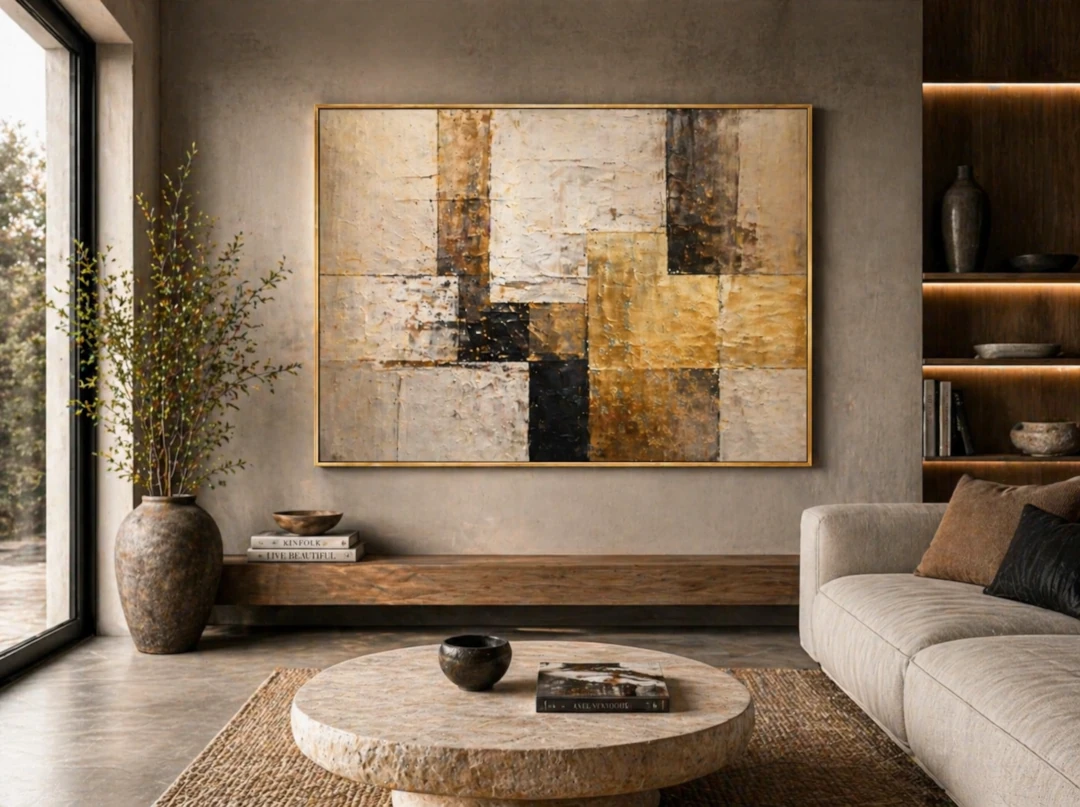
A wall art mockup generator helps artists turn a flat artwork image into a realistic preview that buyers can understand instantly. Instead of showing only the artwork on a blank background, you can place it on a wall, inside a room, above furniture, or in a gallery-style setting.
This matters because people rarely buy art in isolation. They want to imagine how a piece will feel in a real space. A strong mockup gives them scale, mood, and context before they make a decision.
What Is a Wall Art Mockup Generator?
A wall art mockup generator is a tool that lets you upload artwork and preview it in realistic interior scenes. The goal is simple: make your artwork look ready to hang, easy to understand, and more professional when shared online.
Artists use wall art mockups for online shops, portfolio pages, Instagram posts, Pinterest pins, collector previews, commission proposals, and gallery presentations.
Why Wall Art Mockups Help Artists Sell Online
One of the biggest problems with selling art online is uncertainty. A buyer may love the artwork, but still wonder: Is it too large? Too small? Will it match my room? Will it feel elegant, bold, calm, or too busy?
- Scale becomes clear: furniture and room details help buyers understand size.
- The artwork feels more valuable: professional presentation improves perceived quality.
- Buyers feel more confident: realistic previews reduce hesitation before purchase.
- Your marketing looks stronger: mockups work well for websites, social media, ads, and portfolios.
What Makes a Good Wall Art Mockup?
A good mockup should feel natural, not pasted on. The wall, artwork, frame, shadow, and scale all need to work together. If the preview looks unrealistic, it can reduce trust instead of building it.
- Use rooms with clean walls and good lighting.
- Keep the artwork proportion accurate.
- Choose scenes that match the style and price level of the artwork.
- Avoid overly busy interiors that compete with the piece.
- Use consistent mockups when presenting a collection.
Wall Art Mockup Generator vs. Photoshop Templates
Photoshop templates can create beautiful results, but they often take time and technical skill. A dedicated wall art mockup generator is faster and easier, especially when you need to create many versions for different artworks, sizes, rooms, and social media formats.
For artists who want to spend less time editing and more time creating, a mockup app can become part of the daily workflow.
How InsituArtRoom Helps You Create Wall Art Mockups
InsituArtRoom is designed for artists who want realistic artwork previews without complicated software. You can upload your art, place it into curated interiors, adjust size and position, add frames or passepartout, and create professional visuals for your shop, portfolio, or social media.
The app is especially useful when you want to show artwork in real rooms, compare different interiors, or help a buyer understand how a piece might look before they commit.
Best Ways to Use Wall Art Mockups
- Online listings: show the artwork in context, not only as a flat image.
- Instagram and Pinterest: create visuals that feel polished and shareable.
- Collector messages: send quick previews to help buyers choose.
- Portfolio pages: present your work consistently and professionally.
- Commission previews: show clients how a custom piece may look in a room.
Final Thoughts
A wall art mockup generator is more than a design shortcut. It is a practical sales and presentation tool for artists. When people can see your artwork in a real space, they understand it faster, connect with it more easily, and feel more confident about buying.
Create Your First Wall Art Mockup
Try InsituArtRoom to preview your artwork on walls, interiors, and gallery-style spaces in minutes.
Try InsituArtRoom today