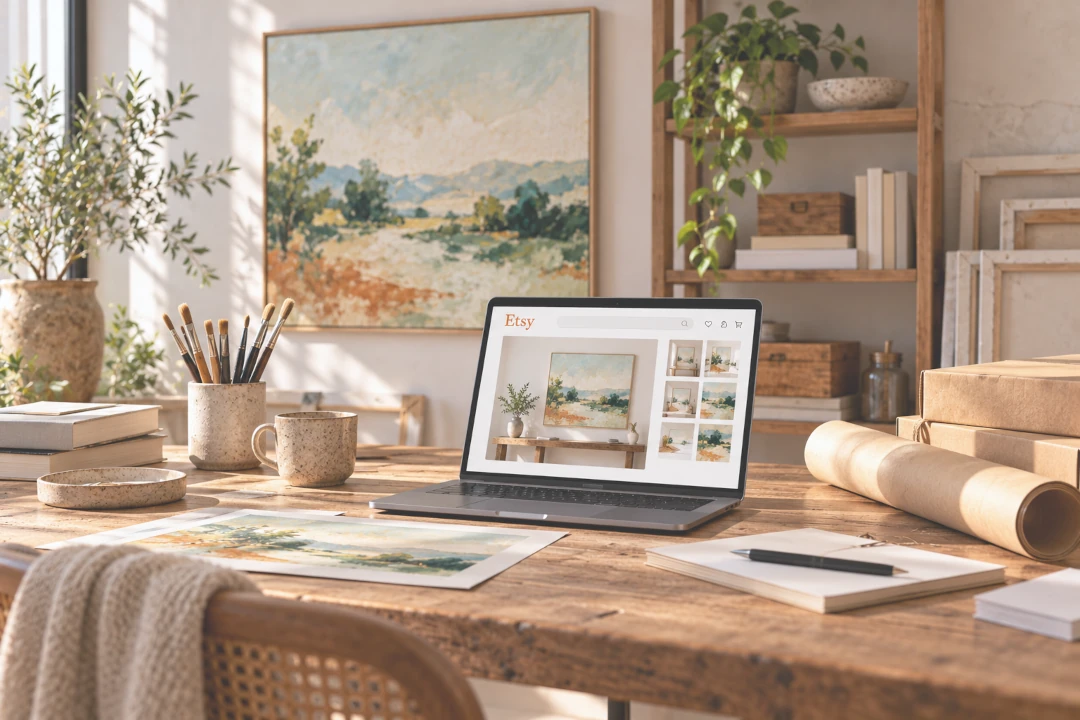
How to Create Art Mockups for Your Etsy Shop
When someone discovers your art on Etsy, your listing images have to do something a gallery wall normally does in person: help the shopper understand the artwork, its scale and how it could feel in a real space.
A clear photograph of the actual artwork is essential, but additional art mockups can give shoppers useful visual context. By showing the piece in a living room, bedroom, office or other interior, you can help people imagine how it might look on a wall before they buy.
Create an Art Mockup for Your Shop
Upload your artwork and try it in 9 interiors for free with InsituArtRoom.
Create a Free Art Mockup →What Is an Etsy Art Mockup?
An art mockup is a visual preview of your artwork displayed in a realistic setting. Instead of showing only the painting, print, photograph or illustration on its own, a mockup places it on a wall so viewers can see the work in context.
For an Etsy art shop, room mockups can work alongside your product photography. They can help communicate approximate scale, show framing ideas and give buyers another way to picture the artwork in a home.
How to Create Art Mockups for Your Etsy Shop
- Start with a strong image of your artwork. Photograph or scan the piece straight on, with even lighting and accurate colour.
- Upload the artwork to a mockup tool. A dedicated art mockup app avoids the need to build the room scene manually in Photoshop.
- Choose a suitable interior. Pick a room that complements the artwork without overpowering it.
- Set a believable size. Use furniture and other objects in the room as visual references.
- Adjust the placement and perspective. Make the artwork look naturally positioned on the wall.
- Add a frame or mat if relevant. If the frame is only a presentation example, make that clear so buyers know what is included.
- Create more than one scene. Different interiors can show how the same piece works in different spaces.
- Export your strongest mockups. Add them to the listing alongside accurate product photos and details.
InsituArtRoom gives artists access to more than 1,500 interiors, along with frames, mats and presentation tools, so you can create multiple room views without organising a new interior photoshoot for every artwork.
Use Mockups as Part of Your Etsy Listing Images
A strong Etsy listing does not have to rely on one type of image. Different images can answer different questions for the shopper.
A useful sequence for original artwork could include a clear photograph of the actual piece, a closer view showing texture or detail, one or more room mockups for scale and context, and additional photographs showing the edges, frame or other physical details that matter to the buyer.
Etsy currently allows sellers to add multiple listing photos, and its Seller Handbook specifically notes that art buyers may want to see artwork styled in a room to understand its size and style.
Choose the Right Room for Your Artwork
The interior should support the artwork rather than become the main attraction. Look for a wall with enough visual space around the piece and a room whose style feels plausible for the type of buyer you want to reach.
For example, a large abstract painting may work well in a spacious contemporary living room, while a small botanical print might be easier to understand above a console, desk or bedside table.
Try several interiors before deciding which mockups belong in the listing. The room that looks most impressive is not always the one that communicates the artwork most clearly.
Show the Artwork at a Believable Scale
Scale is one of the biggest reasons to use a room mockup, so it is important not to exaggerate it.
If the artwork is 50 × 70 cm, the mockup should not make it look like a two-metre canvas. Use nearby furniture as a reference and include the exact physical dimensions in your Etsy listing.
A beautiful mockup may attract attention, but accurate presentation builds trust.
Should the First Etsy Image Be a Mockup?
For physical artwork, Etsy's current policy and seller guidance favour showing the actual finished item accurately rather than relying on a rendering or stock-style presentation as the main image.
That means a room mockup is often better used as an additional listing image rather than as a substitute for clear product photography. It can then do what it does best: provide context and help the shopper imagine the artwork displayed.
Make Your Images Work With Etsy Thumbnails
Etsy recommends high-resolution listing images and currently advises sellers to upload images at least 2,000 pixels in width and height where possible. It also recommends a horizontal or landscape first image because listing images may be cropped differently across Etsy.
When creating your visual presentation, keep the artwork and important elements away from the extreme edges. Leaving some space around the subject makes it easier for the image to survive different thumbnail crops.
Show Framed and Unframed Options Clearly
Frames can completely change the way an artwork feels in a room. A mockup makes it easy to experiment with different styles before physically framing the piece.
But presentation and product information need to stay separate. If your Etsy listing is for an unframed artwork, do not let a framed mockup imply that the frame is included. State clearly in the listing what the buyer will actually receive.
Create Mockups for Different Interior Styles
One advantage of digital mockups is that the same artwork can be shown in several environments. You might create one clean contemporary room, one warmer natural interior and one more minimal setting.
This gives shoppers different ways to imagine the artwork without changing the artwork itself. It can also help you discover which type of presentation gets the strongest response from your audience.
Reuse Your Etsy Mockups Beyond Etsy
The images you create for a listing can also become useful marketing material. Room mockups can be adapted for your artist website, portfolio, Instagram posts, Pinterest content, email marketing and other channels where you promote your work.
InsituArtRoom can also create vertical Reels from artwork presentations, giving you another way to turn the same artwork into visual content.
Let Buyers Imagine the Artwork in Their Own Space
A styled mockup answers one question: how could this artwork look in a beautiful interior? Augmented reality can answer another: how might it look in the buyer's actual room?
With InsituArtRoom's View in your room AR feature, artwork can be previewed in a real space through a compatible device. This can complement the room mockups you use to market your work.
Can You Create Etsy Art Mockups for Free?
Yes. InsituArtRoom includes 9 free interiors, so you can upload your artwork and create your first room presentations before deciding whether you need the larger Premium collection.
For artists with many listings, access to more interiors can be especially useful because it allows you to vary the presentation instead of showing every artwork against exactly the same wall.
Don't Let the Mockup Replace the Artwork
The purpose of a mockup is to help sell the artwork, not the room.
Avoid interiors that are so busy that the eye goes to the furniture first. Keep the artwork large enough to understand, use believable proportions and make sure shoppers can also see clear images of the actual piece.
A good Etsy listing should leave the buyer with a clear understanding of both what the artwork really looks like and how it could look when displayed.
Create Better Visuals for Your Etsy Art Shop
You do not need a styled home or a separate photoshoot for every listing to give shoppers useful room context. Start with accurate photographs of your artwork, then use carefully chosen mockups to show scale, framing ideas and different interior styles.
With InsituArtRoom, you can create these presentations in minutes and reuse them across your shop, portfolio and social media.
Create Your Next Art Mockup
Try 9 interiors for free, then explore 1,500+ rooms, frames, mats, Reels, AR and more.
Try InsituArtRoom →