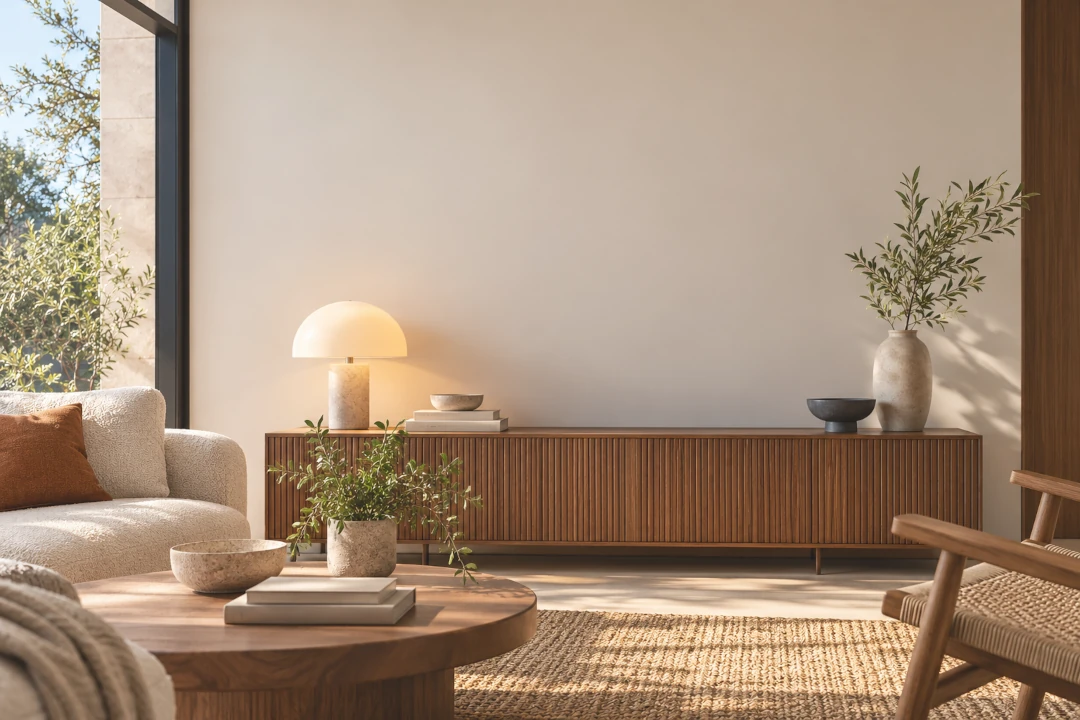
How to Put Your Art on a Wall Without Photoshop
You have a photo or digital image of your artwork and want to see it hanging on a wall. Maybe you need a professional image for Instagram, your portfolio, an online shop or a collector. The good news is that you do not need Photoshop or advanced editing skills to do it.
With an art mockup app, you can place your artwork in a realistic interior, adjust its size and position, add a frame or mat and create a polished presentation in just a few steps.
Put Your Art on a Wall Now
Upload your artwork and try it in 9 interiors for free. No Photoshop required.
Create a Free Art Mockup →The Easy Way to Put Artwork on a Wall
Traditionally, creating an artwork-on-wall image meant photographing a real room or opening Photoshop, finding an interior image, removing backgrounds, working with layers and manually adjusting perspective and scale.
A dedicated wall art mockup tool simplifies that process. Instead of building the scene yourself, you start with an interior that is ready for artwork and concentrate on how your piece should look in the space.
How to Put Your Art on a Wall Without Photoshop
- Upload your artwork. Start with a clear, straight image of your painting, print, photograph or illustration.
- Choose an interior. Pick a room that complements the artwork and matches the audience you want to reach.
- Place the artwork on the wall. Position it where a real artwork would naturally hang.
- Adjust the size. Make sure the artwork looks believable in relation to the furniture and surrounding space.
- Add a frame or mat if needed. Try different presentation styles without physically framing the piece.
- Save your mockup. Use the finished image for your website, portfolio, social media or online sales.
With InsituArtRoom, artists can do this using a library of more than 1,500 interiors, with tools for frames, mats, scale and artwork placement.
Why Put Your Artwork in a Room?
A photograph of an artwork against a plain background shows the piece itself, but it does not always communicate how it might feel in a home. A room mockup adds context.
It can help viewers understand approximate scale, imagine where the artwork could hang and see how its colours and style interact with furniture and interior design. For artists selling online, that extra context can make an artwork easier to visualise.
Choose a Room That Supports the Artwork
The room should help the artwork stand out rather than compete with it. A minimal piece may work beautifully in a calm contemporary room, while colourful or expressive art can benefit from an interior with enough visual space around the wall.
It is also useful to create more than one version. Showing the same artwork in a living room, bedroom, office or dining room gives potential buyers different ways to imagine it in their own space.
Get the Scale Right
One of the quickest ways to make a mockup look unrealistic is to make the artwork far too large or too small for the wall.
Use nearby furniture as a visual reference. A sofa, console, desk or bed can help you judge whether the artwork feels proportionate. The goal is not to make the piece dominate every room, but to show it at a believable size.
Add a Frame Without Actually Framing the Artwork
A digital frame lets you test different looks before making any physical framing decisions. You can compare a clean frameless presentation with framed versions or add a mat to works on paper and photographs.
This is also useful when a buyer wants to know how an unframed piece might look once displayed.
What If the Wall Is at an Angle?
Artwork does not always need to be shown on a perfectly front-facing wall. Angled interiors can feel more natural and editorial, but the artwork needs to follow the perspective of the room.
Using perspective controls helps the artwork sit naturally on the wall rather than looking like a flat rectangle pasted over a photograph.
Use Your Mockup on Instagram and Reels
Once you have created the wall preview, you can use it as more than a single image. A series of interiors can become an Instagram carousel, portfolio presentation or promotional post.
InsituArtRoom can also turn artwork presentations into vertical Reels, giving artists another way to create social content from the same artwork without filming a real interior.
Let Buyers Preview the Art on Their Own Wall
A styled room mockup is useful for presenting your artwork, but a buyer may also want to know how it looks in their own home.
With augmented reality (AR), artwork can be previewed in a real room through a compatible device. This gives collectors a more personal view of the piece and complements the polished interiors used in your marketing.
Can You Put Art on a Wall for Free?
Yes. InsituArtRoom includes 9 free interiors, so you can upload an artwork and create wall mockups before deciding whether you need the larger Premium collection.
If you create content regularly, access to a larger interior library also makes it easier to vary your presentation rather than showing every artwork against the same wall.
From Wall Mockup to Selling Your Artwork
A strong mockup can be useful at several stages of selling art online: introducing a new piece on social media, presenting it on your website, building a portfolio and helping potential buyers imagine it in a real space.
Artists can also list artwork in the InsituArtRoom Marketplace, connecting professional presentation with a place where visitors can discover artwork for sale.
You Don't Need Photoshop to Present Art Professionally
Photoshop is a powerful tool, but it is not necessary for every artist who simply wants to show artwork realistically on a wall. A dedicated art mockup app removes much of the manual setup and lets you spend more time choosing the presentation that works best for your art.
Start with a good image of your artwork, choose an appropriate room, keep the scale believable and experiment with different frames and interiors. In a few minutes, a flat artwork image can become content ready for your portfolio, social media or online shop.
See Your Art on a Wall in Seconds
Try InsituArtRoom with 9 free interiors, then explore 1,500+ rooms, frames, mats, Reels, AR and more.
Try InsituArtRoom →